
B612 AI Photo&Video Editor
SNOW CorporationPhotography
4.120.16K Reviews
- Version
- Varies With Device
- Installs
- 500.00M
- Age Rating
- Everyone
Screenshots
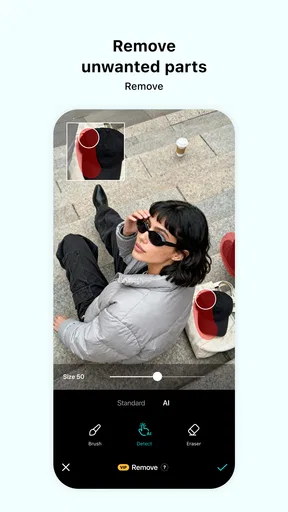
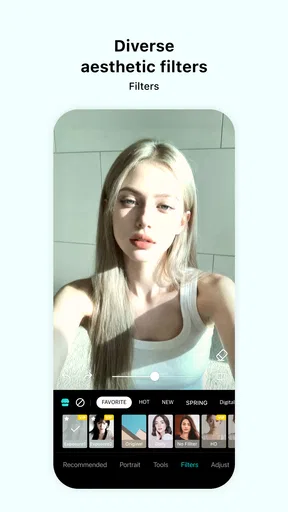
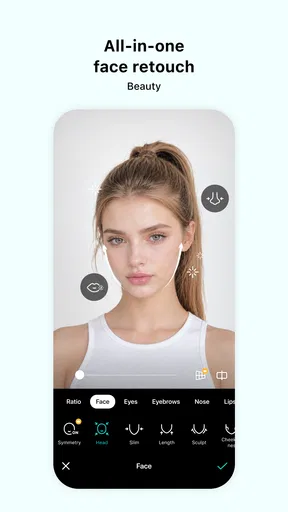
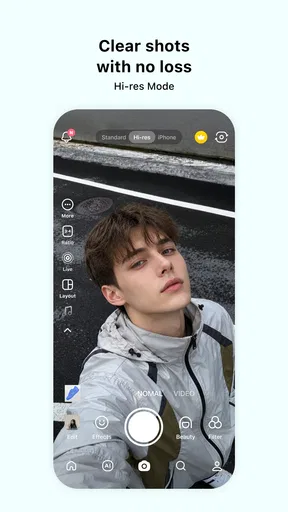
Our Review of B612 AI Photo&Video Editor
 Analysis by Appyee
When I want a quick photo that looks ready to share without opening a desktop editor, I value tools that let me make a choice before I press the shutter. That is the practical appeal of B612 AI Photo&Video Editor: it brings camera effects and editing into one phone app, so I can try a look, take the picture, and make a few adjustments without turning a casual moment into a project. It is a photography app from SNOW Corporation, and its emphasis is clearly on playful, polished images rather than meticulous, technical retouching.
That distinction matters. I would reach for B612 for selfies, spontaneous clips, and social posts where speed and a consistent mood count more than pixel-level control. Someone who wants to manage a large photo library, make precise color corrections, or build a detailed video timeline may be happier with a more specialized editor. B612 is most useful when the editing is part of taking the picture, not a separate production stage.
Fast choices, not a full editing desk
The first thing you'll notice when you open B612 AI Photo&Video Editor is its sleek and user-friendly interface. It's like this app was designed for people who might not be pros in photo editing but still want to produce high-quality content. Everything feels intuitive. Whether you're a total newbie or a seasoned content creator, navigating through the app is a breeze.
That approachable feel suits the app’s strongest everyday workflow: previewing an effect before taking a photo. Instead of shooting several versions and trying to make them match afterward, I can settle on a look first and capture the moment once. For a quick portrait in changing light, I would keep the effect restrained, check that skin tones still look believable, and take a couple of frames rather than trusting a single heavily processed result. A filter that flatters a face in bright daylight may feel too strong indoors, so the live preview is most helpful as a comparison tool, not as a reason to apply the maximum effect.
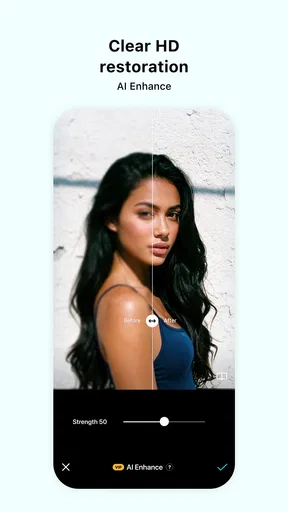
The app’s AI enhancement is also best treated as a starting point. A one-tap adjustment is convenient when a photo needs a quick lift, but automatic choices do not always match the mood I want. I would compare the enhanced image with the original before sharing, especially for a picture with delicate lighting or a background whose colors matter. That small check helps avoid the familiar problem of a portrait looking polished while the scene around it becomes less natural.
Features that Stand Out
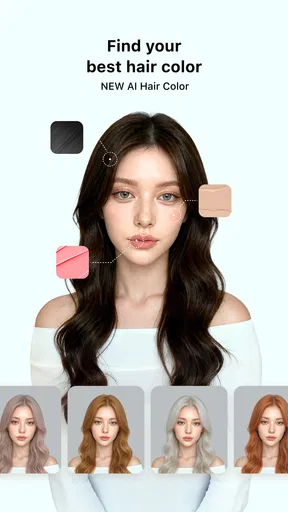
Okay, let's talk features, because this app is packed with them. The AI technology is where the magic happens. It automatically enhances your photos with just one tap. Seriously, it's like having a mini photo editor in your pocket. You know those days when your selfie game is a bit off? This feature has your back.
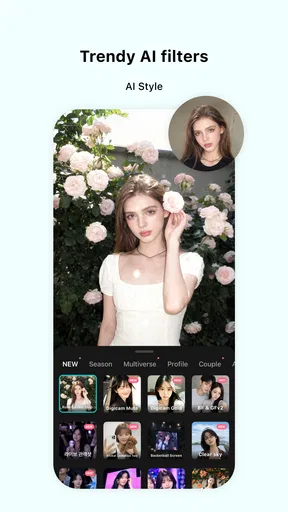
Another cool thing is the real-time beauty effects. You can see how different filters and effects look before you actually snap the photo. This is perfect for those who love experimenting with their look. Plus, there’s a ton of fun filters to choose from. Whether you're feeling cute, artsy, or just plain silly, there’s a filter for every mood.
There is a trade-off to all that choice: if I scroll through effects while someone is waiting for a photo, the variety can become a distraction. My practical fix is to choose a small set of go-to looks for familiar situations and experiment when I have time. I also avoid judging a filter only from the preview on a bright screen; checking the finished image at ordinary brightness gives me a better sense of whether the effect is subtle enough to keep.
This makes B612 particularly appealing for people who enjoy changing the visual tone from one post to another without learning a complicated editing process. It is less compelling for a photographer who wants to reproduce exact settings across a batch of images. A dedicated editor is usually the better choice when consistency, selective adjustments, or careful color work is the main goal. Here, the pleasure is in quick experimentation, with less emphasis on repeatable technical control.
Video Editing on the Go
Now, if you're into video content, you're in for a treat. The app allows you to edit videos with the same ease as photos. You can trim, add music, or even apply those fun filters to your videos. The editing tools are robust enough to create professional-looking content, yet simple enough not to overwhelm you. It’s like having a mini film studio right in your hand.
For a realistic example, imagine taking a short clip at a birthday dinner: I might trim away the moment before everyone is ready, add music, and use a visual treatment that fits the mood. That is a sensible use for a phone-based editor. I would not assume, however, that a quick-effects workflow replaces a full video editor when a project needs many clips, precise timing, detailed audio balancing, or a more involved sequence. For those jobs, a dedicated video app gives me a clearer place to organize and refine the edit.
Short clips can also demand more attention than a still photo. Before sharing, I would replay the result from beginning to end and check that the trim feels deliberate, the music does not overpower the moment, and the applied effect still looks good as the scene changes. A filter that works on a face in the opening frame may affect the whole clip differently as lighting or backgrounds shift. That quick review is a useful habit whenever an edit is meant to represent a real event rather than just a playful test.
Heavy use, stability, and everyday reliability
One of the things I love about this app is how smooth everything runs. There's nothing worse than an app that crashes just as you’re about to save your masterpiece. Thankfully, B612 AI Photo&Video Editor is stable and reliable. Plus, the regular updates mean the developers are actively improving the app, which is always a good sign.
My expectations for speed would depend on what I am doing. Trying a camera effect or making a small change is a lighter task than working through several clips or repeatedly previewing elaborate looks. I would not judge performance from one quick selfie alone: a useful real-world test is to take a few photos, edit a short clip, and see whether the app remains comfortable to use on the device I actually own. Heavy camera and video sessions can also make any phone feel busier, so I would close work I do not need and avoid starting a long editing session when the device is already struggling.
For reliability, I prefer a simple safety habit over assuming an edit is finished the moment it looks right: review the saved result before deleting or replacing anything. That is especially sensible for an event clip or an image I cannot easily recreate. If the app feels slow during a busy session, I would pause between edits and try a smaller task first rather than repeatedly tapping controls. This is practical troubleshooting, not a promise that every device will behave identically.
How demanding the experience feels will naturally vary with the phone, the length of a clip, and how much is being processed. B612 is a better fit for someone who mainly makes short, casual edits than for a person expecting a phone to handle extended, layered video work. If storage or device responsiveness is already a concern, I would keep the workflow selective: make the image or clip I need, finish it, and avoid treating the app as a permanent archive or a substitute for a broader media-management tool.
Another aspect worth mentioning is the app’s community. You can share your creations within the app and get inspired by what other users are doing. It’s like a mini social network for creatives, and it's a great place to find some inspiration if you ever find yourself in a creative rut.
I would use that community as a source of ideas rather than a standard every edit needs to meet. When I see a style I like, the useful question is what makes it work: the color, the framing, or the balance between an effect and the subject? Borrowing one element at a time is more practical than copying an entire look, and it helps keep a personal photo from feeling overworked.
Who will enjoy it, and who may prefer another tool
B612 makes the most sense for people who want a camera-led creative app: selfie fans, friends making informal group pictures, and social users who like adding a quick visual personality to a short video. It is also approachable for beginners because its effects invite trying things without first learning a formal editing vocabulary. A casual user can get value from it in small bursts, rather than needing to plan a project in advance.
I would point a careful landscape photographer, a creator assembling a longer video, or anyone who needs precise and repeatable edits toward a more specialized alternative. A standard gallery editor is often more convenient for a basic crop or a simple adjustment, while a dedicated photo editor is more suitable when each image needs individual attention. The advantage of B612 is the combination of camera-style effects and quick creative edits; the drawback is that this emphasis may feel busy if all I want is a clean, minimal correction.
The app is free to download, with in-app purchases ranging from $0.99 to $69.99 per item. I would explore the free experience first and consider a purchase only if a particular paid option is clearly useful to my own routine. That keeps the decision grounded in actual use rather than the assumption that more effects automatically lead to better pictures.
It is rated for Everyone, and its long-running presence is reflected in an average rating of 4.1 from around 7.3 million ratings, with roughly 20,000 written reviews and over 500 million installs. Those figures suggest a widely used app, but they do not tell me whether its style will suit every person. I would still decide based on whether I enjoy previewing effects and making quick edits on my phone.
Choosing B612 for the right kind of editing
I’d use this section to judge whether B612’s camera-first approach fits the pictures and clips I actually make, rather than treating its range of effects as a reason to use every tool. A small trial with a familiar portrait or short video can reveal whether quick visual choices save me time or leave me wanting finer control. That distinction also helps frame the practical details of using it on a particular phone.
Practical fit and version details
For people comparing download options, the current version is 14.7.12 and the minimum operating system is version 9. The app was released on October 9, 2014, and is developed by SNOW Corporation. I would check that my device meets the operating-system requirement before installing, then judge the experience by trying the kinds of photos and clips I actually make. A long history and a current version are useful context, but neither removes the differences in speed, screen size, and available resources between phones.
One useful way to decide whether it earns a place on your home screen is to give it a specific job for a week: quick portraits, playful group shots, or short social clips. If you find yourself reaching for its live effects naturally, it is serving a purpose. If you keep exporting an image to another editor to undo the look or make precise corrections, that is a sign your needs point elsewhere. I find this kind of small trial more informative than browsing effects without a real photo in mind.
Final Thoughts
So, is B612 AI Photo&Video Editor worth downloading? Absolutely. It’s a versatile tool that can help elevate your photo and video editing game, whether you're a casual user or looking to make some serious content. The blend of AI technology and user-friendly design makes it accessible and fun to use.
Give it a shot, and you might just find yourself spending hours playing with all the different features. And hey, who doesn’t love a good filter now and then? Happy editing!
My recommendation comes with a clear boundary: I would choose it for quick, expressive phone photography, not as my only tool for demanding photo or video work. If that matches how you create, B612 offers an easy way to try a look before committing to a shot, then carry a similar feel into a short clip. If your priority is restraint, exact control, or a carefully organized production workflow, another editor will likely feel more comfortable. For everyday creative moments, though, it is an enjoyable option to try.
Verdict
Strengths of B612 AI Photo&Video Editor
- User-friendly interface with intuitive controls.
- Wide range of filters and effects available.
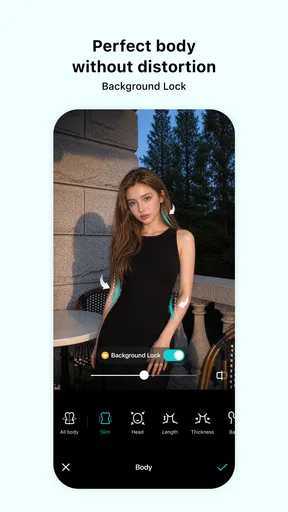
- Offers advanced editing tools for professionals.
- Supports high-resolution photo and video exports.
- Regular updates with new features and improvements.
Limitations of B612 AI Photo&Video Editor
- Some features require in-app purchases.
- Occasional lag on older devices.
- High battery usage during extended editing.
- Limited social media integration options.
- Large app size might take up significant storage.
Other Releases by SNOW Corporation
View All
VITA - Video Editor & Maker
Video Players & Editors4.2

SNOW - AI Profile
Photography3.7
Similar Picks in This Category
View All
Google Photos
Google LLC4.4

Gallery
Google LLC4.2

Picsart AI Photo Editor, Video
PicsArt, Inc.3.9

BeautyPlus-Selfie Photo Editor
PIXOCIAL TECHNOLOGY (SINGAPORE) PTE. LTD.4.5

Remini - AI Photo Enhancer
Bending Spoons4.1

FaceApp: Perfect Face Editor
FaceApp Technology Ltd4.3
You May Also Like
View All

Frequently Asked Questions
What features does B612 AI Photo&Video Editor offer?
B612 AI Photo&Video Editor provides a vast array of features including AI-powered filters, real-time beauty effects, and advanced editing tools. Users can also access a variety of stickers and music for videos. The app supports both photo and video editing, making it versatile for all your creative needs.
Is B612 free to use?
B612 offers a free version with a wide range of features. However, there are in-app purchases available that unlock premium content and advanced editing tools. These purchases are optional, allowing users to enhance their experience as needed without any obligation to pay.
Can B612 be used on both Android and iOS devices?
Yes, B612 is available for download on both Android and iOS platforms. The app is designed to provide a seamless experience across different devices, ensuring that users can edit and enhance their photos and videos no matter which operating system they use.
How user-friendly is B612 for beginners?
B612 is designed with user-friendliness in mind, making it accessible even for beginners. The intuitive interface and easy-to-navigate menus allow users to quickly learn and apply various editing tools and effects. Tutorials and tips are also available within the app to help new users get started.
Does B612 require an internet connection to use?
While B612 can be used offline for basic editing features, certain functionalities such as downloading new filters or stickers and accessing cloud services require an internet connection. To make the most of all available features, it's recommended to have internet access.
